Every calendar,
one fast popup.
Calendario puts Google Calendar, Outlook / Microsoft 365 and Zoom in one Chrome popup. See what's next, join a call, answer an invite or book time, without opening another tab.
The real Calendario interface, shown with demo data. Try it yourself
Works with the tools your meetings already live in
- Google Calendar
- Outlook / Microsoft 365
- Zoom
- Google Meet
- Microsoft Teams
- providers in one view
- 3
- providers in one view
- languages
- 15
- languages
- accent colors
- 7
- accent colors
- servers between you and your calendar
- 0
- servers between you and your calendar
Everything in one popup
Built for the way your day actually runs
Not a stripped-down viewer. Calendario does the everyday calendar work itself, so you rarely need to open Google Calendar or Outlook.
Timeline
Your whole day, hour by hour
Meetings sit where they actually happen, with a live line marking right now. Scroll the day, hop to tomorrow, and open any event in place.
- A live Now line, and a pill that jumps back to it
- Overlapping meetings side by side, never hidden
- Free time between meetings, labelled and clickable
- One-click Join for Google Meet, Teams and Zoom
Drag and drop
Book, move, resize or copy with a drag
Press on an empty stretch of the day and drag to book it. Drag an event to reschedule it, pull its edge to change its length, or hold ⌥ to copy it.
- Live start, end and duration labels while you drag
- Changes save straight to Google or Outlook
- Undo on every move, resize and copy
Create
A full composer that checks your schedule
Everything you'd open a calendar app for: pick the calendar, set the time, repeat it, add a video call and guests. If it clashes with something, you know before you save.
- Any calendar, from any connected account
- “Overlaps with an event”, with a Find a time shortcut
- Repeats, time zones, Meet or Teams links, guests and files
Events
Answer invites without leaving the page
Open an event to see who's coming, join the call, grab the link or the attachments, and reply Yes, Maybe or No. Your answer goes straight back to Google or Outlook.
- Attendees with their responses, attachments and Open in Maps
- Copy the event link or open it in Google Calendar or Outlook
- Delete one event, a whole series, or several at once
Search
⌘K, and type what you mean
Search every connected calendar at once. Type “meetings tomorrow morning” and Calendario turns your words into filters, then shows what matches, grouped by day.
- Every account and calendar, searched together
- Quick filters, and a full filter panel when you need it
- Keyboard-first: arrows, Enter and Esc
Works where you work
Your calendar, beside every tab
Open Calendario as a quick popup, or keep it docked in Chrome's side panel. Either way, reminders find you on the page you're on.
Side panel
Dock Calendario next to the page so your day stays in view while you work.
Floating launcher
A small button on the edge of any page opens the side panel. Drag it where you like, or hide it on chosen sites.
Reminder cards
When a meeting is due, a card with a soft chime appears on whatever page you're on, in every tab.
Toolbar badge
The icon shows your next meeting's start time, or NOW, so you can check without opening anything.
Learn more about the side panel and launcher and reminders and the badge.
The details
Small touches, all through the day
The things you notice on day ten, not just day one.
 10:30
10:30Next meeting at 10:30
A toolbar badge that tells you what's next
Pin Calendario and its icon shows your next meeting's start time, or NOW while one is running.
Speaks your language
English, Hindi, Spanish, Japanese, Arabic and ten more, with 12- or 24-hour time.
- Google2 accountsGSGS
- Outlook1 accountGS
- Zoom1 accountGS
Every account, together
Connect several Google, Outlook and Zoom accounts, and choose which calendars you see.
Seven accent colors
System, light or dark theme, in the accent color you like best.
- ⌘KSearch
- ↑↓Move between events
- ←→Change day
- ⌥dragCopy an event
Keyboard-first
Search, move between events, change days and copy events without reaching for the mouse.
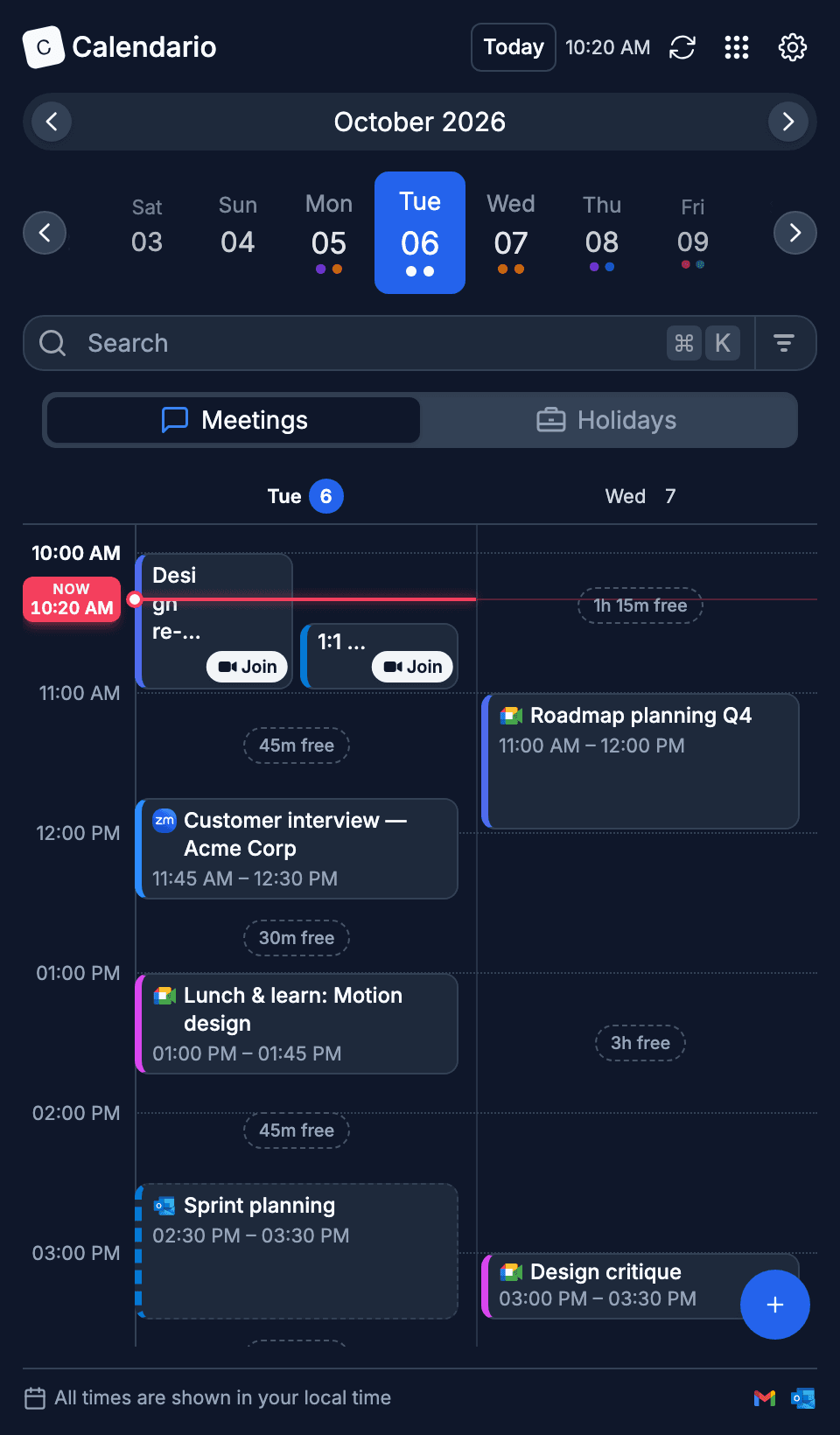
Several days side by side
In the side panel, see two or three days at once, with working hours shaded and free time marked.
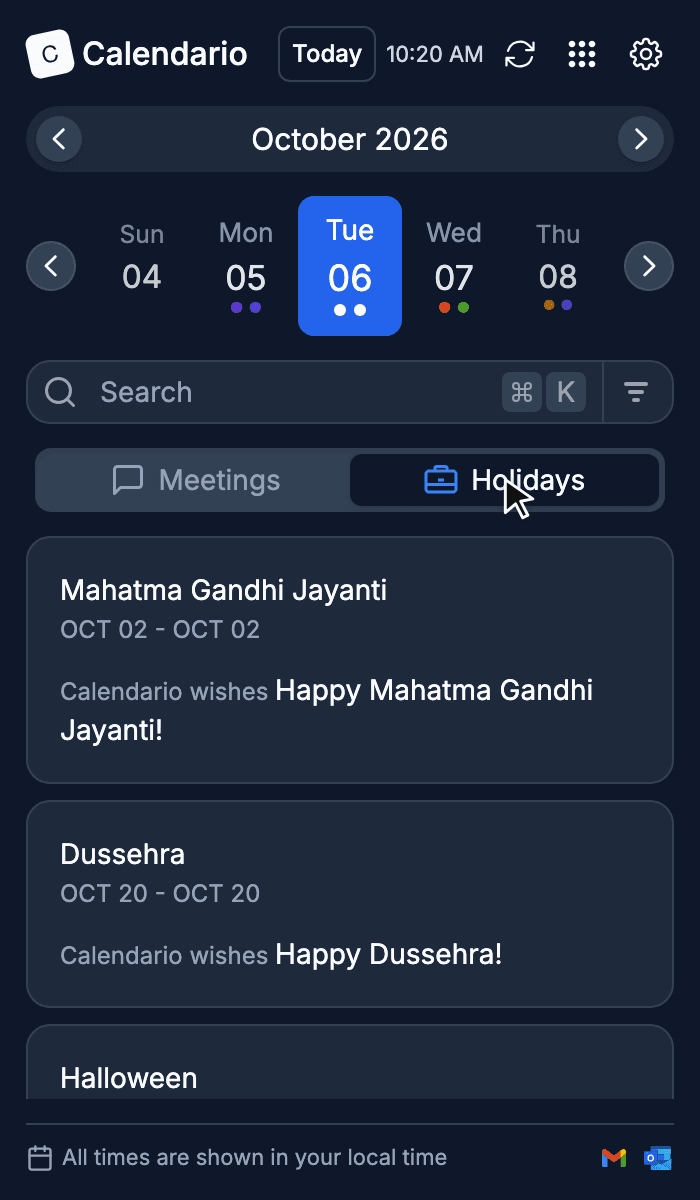
Holidays at a glance
Public holidays get their own tab, so long weekends never catch you out.
Reviews
What people are saying
“Se ve muy bien la extensión, ayuda mucho a controlar las fechas y si es posible pueden agregar la parte de lista de tareas o task, sería de mucha ayuda. Gracias por tu creación.”Translated from Spanish: The extension looks great and helps a lot to keep track of dates. If possible, you could add a to-do list or task section, that would be very helpful. Thanks for creating it.
“Calendario made organizing my schedule much easier. The interface is clean, intuitive, and doesn't feel cluttered. Highly recommended. 👌”
“Saves me from the calendar tab shuffle.”
Privacy
How Calendario uses your Google data
Calendario asks you to sign in with Google so it can show your Google Calendar in the toolbar popup. It has no server: your data goes directly between your browser and Google, is never sold or used for advertising, and is not stored anywhere else.
Read the Privacy PolicyGoogle Calendar
To display your events, and to create, edit, RSVP to and delete events when you ask.
Email address and profile
Your name and photo, to show which account is signed in.
ContactsOptional
Only if you choose to allow it when adding guests: read-only access to your contacts and other contacts, used only to suggest people to invite as you type.
Calendario's use of information received from Google APIs adheres to the Google API Services User Data Policy, including the Limited Use requirements.
The Calendario Guide
Learn every feature, step by step
A 12-part walkthrough with screenshots and short clips, from connecting your first calendar to keyboard shortcuts.
Read the guide- 1Getting started with Calendario
- 2Connect Google, Outlook and Zoom — and more than one of each
- 3Read your day on the timeline
- 4Tune the timeline: zoom, working hours, buffers and more
- 5Drag to create, move, resize and copy events
- 6Event details, RSVPs and quick actions
- 7Create events without leaving the page
- 8Find anything with ⌘K search
- 9Jump to any date and see holidays
- 10Reminders that reach you, and a badge that tells you what's next
- 11Popup, side panel or floating launcher
- 12Make it yours: themes, colors, languages and time format
Ready to stop
switching tabs?
Add Calendario to Chrome and see your whole day, Google, Outlook and Zoom together, the moment you click the toolbar icon.
Free forever · Manifest V3 · Privacy-first